
Download igenAI – AI visual creation tool, free, secure, web app
Overview
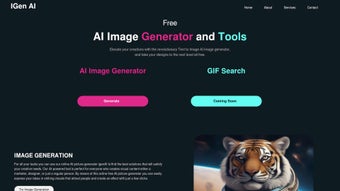
igenAI is a browser‑based graphics generator that harnesses the power of modern artificial‑intelligence models to turn plain text prompts into high‑resolution photos, illustrations, and short animations. The service is built around a single promise: give anyone—whether a seasoned designer, a marketer on a deadline, or a content creator with limited budgets—the ability to produce professional‑grade visuals in seconds without installing heavyweight software. Because the engine runs entirely on cloud‑side GPUs and delivers results back to the user’s browser, the only technical requirement is a recent version of Chrome, Edge, Firefox, or Safari with JavaScript enabled.
This eliminates the need for expensive licences, powerful workstations, or ongoing maintenance, making igenAI an especially attractive option for freelancers, small agencies, and internal marketing teams. The platform is offered with a generous free tier that allows up to 20 image generations per month, while paid plans unlock unlimited usage, priority processing, and additional storage. Regular updates to the underlying diffusion models keep the output fresh, ensuring that the generated assets stay on‑trend with evolving design aesthetics.
Security is baked in: all data travels over HTTPS, prompts are not stored permanently unless the user chooses to save them, and the system complies with GDPR‑level privacy standards. In short, igenAI combines accessibility, speed, and quality into a single, secure web app that democratizes visual content creation for a global audience.
Key Features & Capabilities
- AI‑Powered Image Generation – Convert textual descriptions into realistic photos, stylized illustrations, or abstract artwork.
- Animated Graphic Creation – Produce short GIF or loopable video clips with a single click.
- Extensive Style Library – Choose from flat design, photorealism, watercolor, cyber‑punk, and dozens of niche presets.
- Batch Generation – Create multiple variations of a concept in one request, ideal for A/B testing.
- High‑Resolution Export – Download assets up to 4K resolution without watermarks for commercial use.
- Cloud Workspace – Save projects directly to a secure cloud folder for easy sharing and team collaboration.
- Real‑Time Preview – See instant previews while tweaking prompts, colors, or composition.
- Multi‑Language Support – Accept prompts in English, Spanish, French, German, Portuguese, and more.
- Secure Data Handling – End‑to‑end encryption, no permanent storage of prompts unless explicitly saved.
- Monthly Model Updates – New AI models are rolled out each month, improving fidelity and expanding creative possibilities.
Each feature has been engineered to shave minutes, if not hours, off a typical design workflow. For example, the batch generation tool lets a social media manager spin up ten different banner variations in under a minute, while the real‑time preview instantly highlights which color palette or composition works best. The style library is curated by professional designers, meaning users can achieve brand‑consistent looks without manually adjusting dozens of parameters.
High‑resolution export ensures that assets are ready for both digital campaigns and large‑format print, eliminating the need to upscale low‑quality files later. Collaboration is streamlined through the cloud workspace, where team members can comment, approve, or request changes without leaving the browser. Finally, the monthly model updates keep the AI’s “creative vocabulary” current, so emerging trends like neon‑sci‑fi or pastel minimalism appear naturally in the output.
Together, these capabilities make igenAI a versatile, future‑proof tool for anyone who needs fast, reliable visual content.
Installation, Setup, and Daily Usage
Since igenAI lives completely in the browser, there is no traditional installation step. Getting started takes less than two minutes:
- Open the Official Site: Navigate to igenAI.com using any modern browser.
- Enable JavaScript: Verify that JavaScript is active—most browsers have this on by default.
- Create a Free Account: Register with an email address or use a Google, Microsoft, or Apple login. The free plan grants 20 generations per month.
- Select a Project Template: From the dashboard, click “New Visual” and pick Photo, Illustration, or Animation.
- Enter Your Prompt: Write a concise description, including style cues, color preferences, and composition details.
- Fine‑Tune Settings: Adjust resolution, aspect ratio, and generation speed with intuitive sliders. Enable “Creative Mode” for more experimental outputs.
- Generate & Review: Press “Generate”. Within seconds, a grid of variations appears for you to compare.
- Download or Save: Choose the preferred version and click “Download” (PNG, JPEG, GIF) or “Save to Cloud” for later editing.
Power users can also request an API key from the “Developers” section. The API supports RESTful calls and includes sample snippets in Python, JavaScript, and cURL, enabling automated image creation from content management systems, email marketing platforms, or custom scripts. Daily workflow is intentionally simple: the left pane houses the prompt editor and settings, while the right pane shows live previews.
This layout mirrors familiar design tools, reducing the learning curve for users transitioning from Adobe Photoshop, Illustrator, or Sketch. The platform also offers keyboard shortcuts for common actions (e.g., Ctrl + Enter to generate, Ctrl + S to save) and a “History” panel that lets you revert to previous prompt versions. Because everything is stored in the cloud, you can switch devices—desktop, laptop, tablet, or phone—without losing progress, provided you stay connected to the internet.
Compatibility, Pros & Cons, FAQ, and Final Verdict
igenAI is a pure web application, which means it works on any operating system that supports a recent browser version. Supported platforms include Windows 10/11, macOS Ventura and later, most Linux distributions with a graphical interface, as well as mobile browsers on Android 9+ and iOS 14+. The only hard requirement is an active internet connection and JavaScript enabled in the browser.
Pros
- Zero‑install, browser‑only access eliminates hardware constraints.
- Free tier provides enough credit for occasional projects; paid plans scale affordably.
- High‑resolution exports suitable for both digital and print media.
- Frequent AI model updates keep output fresh and competitive.
- Strong privacy safeguards: encrypted HTTPS transmission and optional data retention.
Cons
- Requires a stable internet connection; offline creation is not possible.
- Generation speed can fluctuate with server load and geographic distance.
- Limited fine‑grained control compared to full‑featured desktop suites.
- Free tier caps at 20 generations per month, which may be restrictive for power users.
- Complex prompts sometimes need iterative refinement to achieve the desired result.
Frequently Asked Questions
Do I need to download any software to use igenAI?
No. igenAI runs entirely in the browser, so you only need a modern, JavaScript‑enabled browser to start creating visuals.
Is the free version sufficient for commercial work?
The free tier offers 20 high‑resolution generations each month, which can cover small campaigns, social‑media posts, or occasional client work. Larger teams or frequent users should consider a paid plan for unlimited access and priority processing.
Can I edit images after they are generated?
Absolutely. Downloaded assets can be opened in any raster or vector editor (e.g., Photoshop, GIMP, Illustrator). You can also refine the original prompt and re‑generate directly within igenAI.
How secure is my data?
All traffic is encrypted via HTTPS. Prompts and generated images are not stored permanently unless you explicitly save them to the cloud workspace, complying with GDPR‑level privacy standards.
Does igenAI offer an API for automation?
Yes. A developer‑focused REST API is available, complete with authentication keys, rate‑limit details, and code examples in Python, JavaScript, and cURL. This enables automated image generation from CMS platforms, marketing automation tools, or custom pipelines.
Final Verdict & Call to Action
igenAI delivers a compelling mix of speed, quality, and accessibility that makes it a serious contender against traditional desktop graphics suites. While the reliance on an internet connection and the modest level of pixel‑perfect control are trade‑offs, the overall value—especially for freelancers, small agencies, and marketing teams—far outweighs these limitations. The free tier lowers the barrier to entry, and the scalable paid plans ensure that growing teams can continue to benefit without hitting a ceiling.
If you’re ready to accelerate your visual content pipeline, reduce repetitive design work, and explore AI‑generated creativity without a steep learning curve, now is the perfect time to try igenAI. Click the button below to create a free account and start generating stunning visuals in seconds.
Start Creating with igenAI – Free Account


.png)



